
Affiliate Disclosure
Some links on this page are affiliate links. As an Amazon Associate, we earn from qualifying purchases — at no extra cost to you. We do not buy, install, or physically handle the lights and decorations we cover; our rankings come from aggregated owner feedback and expert consensus, not first-hand testing. Commissions never change our verdicts. How we research · full disclosure.
Top 3 Picks
There are two ways to sync Christmas lights to music: the easy way and the show-stopper way. App-controlled smart lights with a music mode react to sound the moment you enable a setting, while a full sequenced yard display uses a multi-channel controller, software like xLights, and an FM transmitter to choreograph every string to a track. This guide covers both, so you can start simple and scale up when you're hooked.
Two paths: one-tap smart lights vs a sequenced show
Match the method to your ambition. For a tree, a room, or a single facade, app-controlled smart lights with a music-sync or microphone mode are all you need — they listen to sound and pulse in time with almost no setup. For a coordinated yard display where every element hits the beat together, you step up to a light-show controller and sequencing software that maps each string to its own channel. Most people start with smart lights and graduate to a controller once one facade isn't enough.
What you'll need
- The easy path: smart LED string lights with a music/mic mode and the maker's app on your phone.
- The show path: a multi-channel light-show controller, outdoor-rated light strings, and a computer.
- Sequencing software — xLights (free) is the standard; commercial ecosystems like Light-O-Rama have their own.
- Audio output and a low-power FM transmitter so viewers hear the track on their car radio.
- GFCI outlets, outdoor extension cords, and cord covers to power and protect it all.
How to sync Christmas lights to music step by step
- Start with smart lights. Pair your smart string lights in the app, then open the effects screen and enable the music or microphone mode.
- Set the sensitivity. Adjust the mic sensitivity so the lights react to the beat without strobing constantly, and pick a color palette you like.
- Play your track. Play music from your phone or in the room; the lights pulse, flash, or shift color in time with the sound.
- To scale up, map your display. For a sequenced show, list every prop (roofline, trees, arches) and how many channels each needs, then wire them to your controller.
- Sequence the song in xLights. Import the audio, place your props on the layout, and lay effects onto the timeline so each channel hits its cues.
- Broadcast the audio. Feed the track to a low-power FM transmitter and post the station number on a yard sign so viewers tune in.
- Test the whole run. Play the full sequence end to end at night, fix timing, and confirm every circuit is on a GFCI and within its load.
The easy way: music-sync smart lights
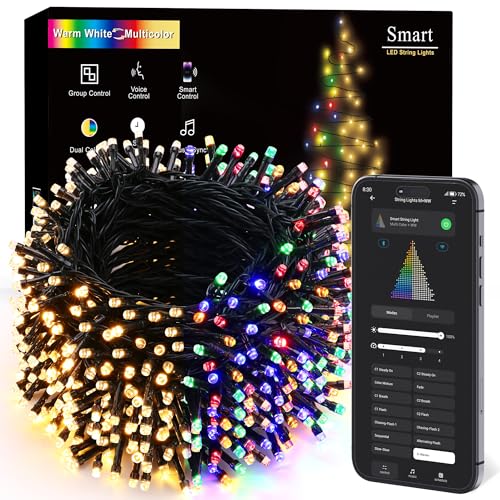
If you just want a tree or a wall that dances to a playlist, smart lights do it out of the box. Most app-controlled sets include a music mode that uses your phone's microphone (or the lights' own mic) to detect the beat and drive brightness, color, and simple patterns in real time. There's no sequencing and no timeline — you enable the mode, tune the sensitivity, and play music. It's the fastest route to a reactive display and, for many homes, entirely enough. Sets designed around this live in our roundups of the best app-controlled Christmas lights and the best smart Christmas lights.
The full show: controllers, xLights, and an FM transmitter
A synchronized yard show is a bigger project but hugely rewarding. A multi-channel controller switches each string independently, and free sequencing software — xLights is the community standard — lets you map your props and choreograph effects to an audio track frame by frame. The soundtrack is broadcast on a small FM transmitter so cars out front tune their radio to hear it, keeping the neighborhood quiet. Expect a learning curve: you'll spend the first weekend laying out props and learning the timeline, but shared sequences and active forums shorten the climb, and the payoff is a display that hits every beat.
Common mistakes to avoid
- Overloading circuits. A big display draws real power — spread it across several GFCI-protected outlets and stay within each one's rating.
- Expecting plain lights to react. Basic strings can't sync on their own; you need smart lights or a controller.
- Mic set too hot. Over-sensitive music mode strobes on every noise — dial it back to follow the beat.
- Blasting speakers outdoors. Use an FM transmitter instead so neighbors aren't kept awake.
- Skipping the dry run. Always test the full sequence at night before showtime.
Before you sequence, get comfortable with dynamic effects: see how to make Christmas lights flash and how to make Christmas lights blink, and to configure your smart set start with how to set up smart Christmas lights. Planning the whole yard? See how to plan an outdoor Christmas light display. More projects live in the Install & How-To Guides, and for a plug-and-play alternative, compare the best musical Christmas lights.
Our Picks