

Affiliate Disclosure
Some links on this page are affiliate links. As an Amazon Associate, we earn from qualifying purchases — at no extra cost to you. We do not buy, install, or physically handle the lights and decorations we cover; our rankings come from aggregated owner feedback and expert consensus, not first-hand testing. Commissions never change our verdicts. How we research · full disclosure.
Top 3 Picks
There are a few ways to make Christmas lights twinkle, and which one you use depends on the strand you already own. You can add twinkle bulbs to an incandescent set, plug in a multi-function controller box, switch on the twinkle mode of an LED strand, or set the effect from an app. This guide explains how twinkle actually works and walks each method so you get a soft, random shimmer rather than a harsh flash.
Tools and materials
- Your existing Christmas light strand (incandescent or LED)
- Twinkle bulbs sized to your strand, for the incandescent method
- A multi-function controller box, if your strand accepts one
- An LED strand with a twinkle or multi-function mode, or an app-controlled set
- A spare-bulb tool or puller for swapping bulbs
How to make Christmas lights twinkle, step by step
- Identify your strand type. Check whether you have incandescent or LED lights and whether the box or controller already lists a twinkle mode. That decides your method.
- Try the controller first. If the strand has a multi-function controller box, press its mode button and cycle through the effects — twinkle, fade, chase — until you reach the shimmer you want.
- Add twinkle bulbs to an incandescent strand. Unplug the set, then replace a handful of scattered bulbs with same-voltage twinkle bulbs. A few is plenty; the rest stay steady as a backdrop.
- Switch on an LED twinkle mode. On an LED strand that offers it, select the twinkle setting on the inline controller. Standard LEDs will not twinkle without this function.
- Or set it from an app. With an app-controlled set, open the app, choose the twinkle or sparkle effect, and adjust the speed and density to taste.
- Balance the effect. Aim for a subtle, random shimmer. If every bulb twinkles it reads as busy, so mix twinkle bulbs into a mostly steady strand.
- Power up and step back. Plug in, view the strand from across the room, and adjust the number of twinkle bulbs or the app speed until the shimmer feels natural.
How twinkle actually works: the bi-metal strip and filament
A twinkle bulb is an ordinary-looking incandescent bulb with one addition: a small bi-metal strip wired in series with the filament. As the filament heats the strip, it bends and opens the circuit for that single bulb, which then cools, straightens, and re-closes the circuit. Each twinkle bulb runs its own heat-and-cool cycle independently, so scattering a few through a strand produces a random, out-of-sync shimmer rather than a synchronized blink. That randomness is exactly what makes twinkle look gentle and natural instead of mechanical.
Adding twinkle bulbs to an incandescent strand
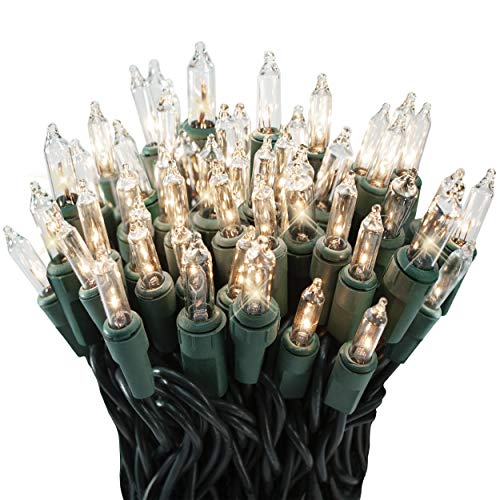
On an incandescent strand, the simplest route is to swap in a few twinkle bulbs. Unplug the set, then replace a handful of scattered bulbs with same-voltage twinkle bulbs, leaving most of the strand steady as a backdrop. Because each twinkle bulb cycles on its own, even three or four across a strand give the whole set a soft, random shimmer. Keep every replacement matched to the strand's voltage and base type.
Twinkle vs flashing vs chase vs fade
It helps to know the difference before you pick a mode. Twinkle is per-bulb and random — individual points fade or wink out of sequence. Flashing switches the whole strand or a section on and off together in a set beat. Chase runs a moving pattern of lit segments along the strand, and fade eases the whole strand up and down in brightness. Multi-function controller boxes usually offer all of these plus steady, so one press-through mode button gives you the full range. Twinkle is the subtlest and the most classic for a tree or a window.
Making LED lights twinkle: controller and app-controlled modes
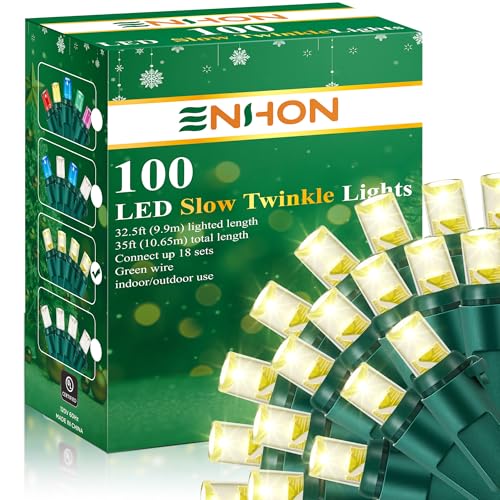
LEDs do not twinkle on their own — a standard LED strand stays rock-steady, which is why so many people ask how to add the effect. The answer is to buy for it: choose an LED set labeled twinkle or multi-function, or one that mixes a percentage of dedicated twinkle LEDs into an otherwise steady strand for a subtle sparkle. App-controlled LED strands go furthest, letting you enable twinkle, dial the speed, and sync it with color modes from your phone or a voice assistant — sets like Govee and Twinkly build these effects into the app. The best app-controlled christmas lights and best christmas light controller roundups compare the sets and boxes that make this easy.
Common mistakes to avoid
- Expecting standard LEDs to twinkle. They will not without a twinkle mode. Buy an LED set that offers it.
- Adding too many twinkle bulbs. A whole strand of twinkle reads as busy. Scatter a few into a steady strand.
- Swapping bulbs while plugged in. Always unplug first, and match voltage and base type exactly.
- Confusing flash for twinkle. Flash is the whole strand blinking. Cycle the controller to the true twinkle mode.
- Forcing a damaged strand. A scorched controller or cracked wire is a fire risk. Replace it rather than fight it.
Related lighting guides
Twinkle looks best on a well-placed strand. See how to hang lights on windows for a shimmering window, how to put lights on a tree for even coverage, and best christmas string lights if you want a set with twinkle built in.
Our Picks